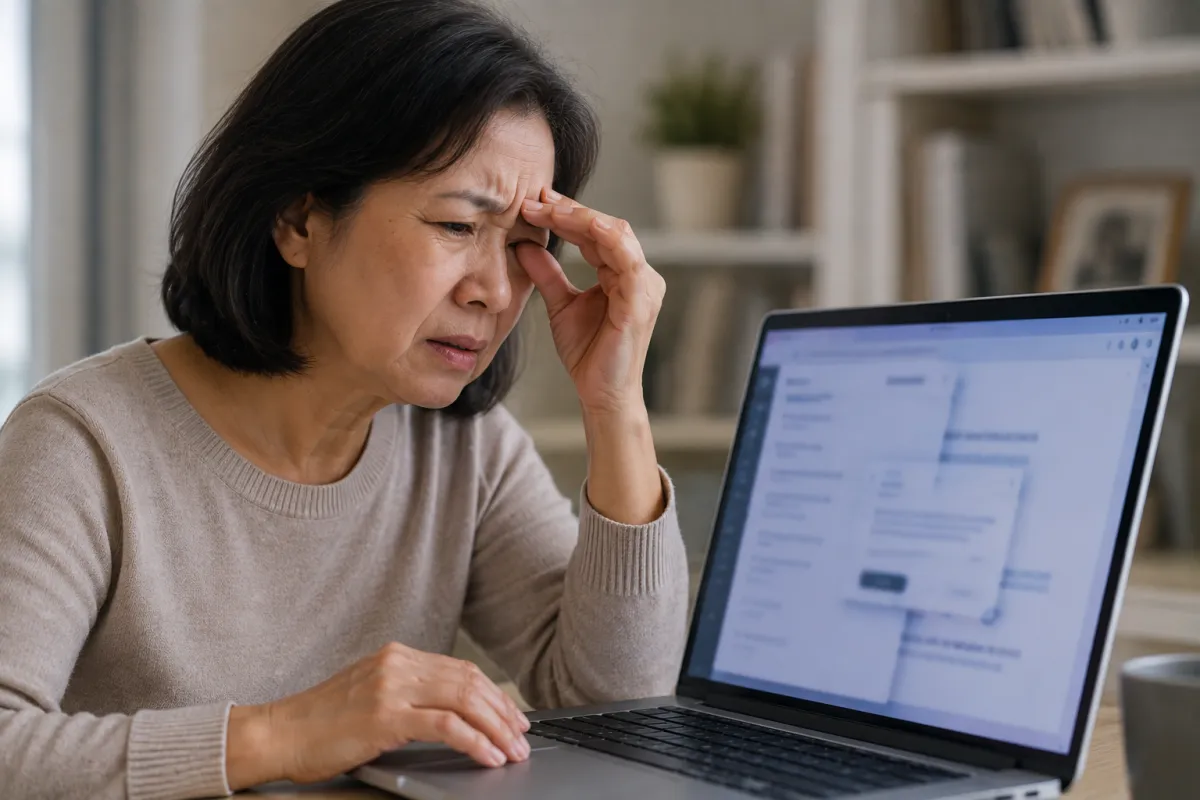
Difficulty using screens after a stroke can make phones, tablets, televisions and computers feel uncomfortable or overwhelming. Some stroke survivors experience blurred vision, eye fatigue, headaches, dizziness or difficulty following text and moving images. Others struggle because of visual field loss, reduced concentration or sensitivity to light. Learn why screens may become difficult after a stroke and the practical adjustments that can make digital devices easier to use.
After your stroke...
You pick up your phone.
Within minutes, your eyes feel tired.
The words seem to move.
The screen appears too bright.
Perhaps you develop a headache.
Or you lose your place every time you try to read.
You begin wondering...
"Why can't I look at screens anymore?"
"Am I damaging my brain by using my phone?"
"Will this ever get easier?"
These difficulties can be frightening, especially when screens are such a large part of everyday life.
✦ ✦ ✦
The Good News
Screen intolerance often improves as the brain heals and learns to process visual information more efficiently.
Small adjustments can also make a significant difference.
Reducing brightness, increasing text size, taking regular breaks and limiting visual distractions may help you use screens more comfortably while recovery continues.
✦ ✦ ✦
Why Can Screens Be Difficult After a Stroke?
Looking at a screen requires several parts of the brain and visual system to work together.
Your brain must:
✓ Focus the eyes.
✓ Track words and images.
✓ Process movement.
✓ Filter visual information.
✓ Maintain attention.
✓ Adjust to light and contrast.
✓ Coordinate both eyes.
A stroke may disrupt one or more of these processes.
This can make screen use much more demanding than it was before.
✦ ✦ ✦
Common Symptoms During Screen Use
You may experience:
✓ Blurred or double vision.
✓ Eye strain.
✓ Headaches.
✓ Dizziness.
✓ Nausea.
✓ Sensitivity to light.
✓ Difficulty reading.
✓ Losing your place on the screen.
✓ Trouble following moving images.
✓ Increased fatigue.
✓ Difficulty concentrating.
Symptoms may begin immediately or develop after several minutes.
✦ ✦ ✦
Eye Fatigue After a Stroke
Your eyes may look healthy, but the brain may have to work harder to process what they see.
This increased effort can cause:
✓ Aching around the eyes.
✓ Heavy eyelids.
✓ Blurred vision.
✓ Headaches.
✓ Reduced concentration.
✓ A strong need to close your eyes.
Screen-related fatigue does not necessarily mean you are harming your eyes or brain.
It may mean that your visual system is becoming overloaded.
✦ ✦ ✦
Visual Field Loss
Some stroke survivors lose part of their visual field.
This may cause you to:
✓ Miss words on one side of the screen.
✓ Read only part of a sentence.
✓ Overlook icons or buttons.
✓ Lose your place while scrolling.
✓ Struggle to navigate websites.
This may happen with hemianopia, where half of the visual field is affected.
Turning your head and consciously scanning towards the missing side may help, but professional visual assessment is important.
✦ ✦ ✦
Visual Neglect
Visual neglect is different from eyesight loss.
The eyes may be able to see, but the brain does not consistently notice information on the affected side.
When using a screen, you may:
✓ Ignore one side of a page.
✓ Miss messages or menu options.
✓ Read only the end or beginning of words.
✓ Struggle with crowded layouts.
Visual scanning training and occupational therapy may help improve awareness.
✦ ✦ ✦
Double Vision and Eye Movement Problems
A stroke can affect the nerves and muscles that coordinate the eyes.
This may cause:
✓ Double vision.
✓ Difficulty focusing.
✓ Problems moving the eyes together.
✓ Difficulty tracking across text.
✓ Words appearing to jump or move.
Trying to continue through severe double vision can be exhausting.
Speak with an eye specialist or stroke rehabilitation professional about suitable treatment and management.
✦ ✦ ✦
Light Sensitivity
Some people become unusually sensitive to bright light after a stroke.
Screens may feel:
✓ Too bright.
✓ Harsh.
✓ Painful to look at.
✓ More difficult in a dark room.
Lowering the screen brightness may help, but the screen should still be bright enough to read without straining.
Using a device in a well-lit room may also reduce the contrast between the screen and your surroundings.
✦ ✦ ✦
Moving Images Can Feel Overwhelming
Television programmes, video games, scrolling pages and social media contain constant movement.
After a stroke, the brain may struggle to process this rapidly changing information.
You may feel:
✓ Dizzy.
✓ Disorientated.
✓ Nauseous.
✓ Mentally overwhelmed.
✓ Unable to follow what is happening.
Slowing videos, avoiding rapid scrolling and choosing calmer content may help.
✦ ✦ ✦
Cognitive Fatigue and Screen Use
Screens place demands on attention, memory and processing speed.
Activities such as reading emails, following online forms or switching between apps can be surprisingly tiring.
You may notice that you:
✓ Forget what you have just read.
✓ Struggle to follow instructions.
✓ Make more mistakes.
✓ Become irritable.
✓ Need longer to complete simple tasks.
This is not laziness.
Your brain may simply need more time and more frequent rest.
✦ ✦ ✦
Can Screens Make Stroke Symptoms Worse?
Screen use may temporarily increase symptoms such as:
✓ Headaches.
✓ Eye fatigue.
✓ Dizziness.
✓ Blurred vision.
✓ Mental exhaustion.
This usually reflects overload rather than new brain damage.
However, severe, sudden or worsening symptoms should not be ignored.
Stop using the screen and seek medical advice if you are concerned.
✦ ✦ ✦
How to Make Screens Easier to Use
Helpful adjustments may include:
✓ Lowering or adjusting brightness.
✓ Increasing the text size.
✓ Using a simple font.
✓ Increasing line spacing.
✓ Reducing screen glare.
✓ Using dark mode if comfortable.
✓ Turning off unnecessary notifications.
✓ Removing visual clutter.
✓ Using full-screen reading mode.
✓ Increasing the size of icons and buttons.
Try one adjustment at a time so you can identify what helps.
✦ ✦ ✦
Use Shorter Screen Sessions
Instead of trying to use a screen for a long period, begin with short sessions.
You might try:
✓ Five minutes of screen use.
✓ A rest with your eyes closed.
✓ Looking at a distant object.
✓ Returning only when symptoms settle.
Gradually increase the time if it remains comfortable.
Avoid pushing through severe symptoms.
✦ ✦ ✦
The 20-20-20 Approach
A commonly used strategy is to take regular visual breaks.
Every 20 minutes:
✓ Look approximately 20 feet away.
✓ Continue looking away for at least 20 seconds.
You may need breaks much more frequently during stroke recovery.
The exact timing matters less than responding early when symptoms begin.
✦ ✦ ✦
Alternatives to Looking at a Screen
Technology can still support you without requiring constant visual attention.
You may use:
✓ Screen readers.
✓ Audiobooks.
✓ Voice commands.
✓ Speech-to-text tools.
✓ Voice notes.
✓ Text-to-speech software.
✓ Audio instructions.
These options may reduce visual fatigue and help you remain independent.
✦ ✦ ✦
Reading on a Screen
To make reading easier:
✓ Enlarge the text.
✓ Read one short section at a time.
✓ Use a line guide or reading ruler.
✓ Reduce the amount of text visible.
✓ Avoid busy backgrounds.
✓ Use text-to-speech when tired.
Some people find printed material easier than digital text, while others prefer screens because the text size can be adjusted.
Use whichever method feels most comfortable.
✦ ✦ ✦
Using a Computer After a Stroke
If you are returning to work or study, useful changes may include:
✓ A larger monitor.
✓ An adjustable screen position.
✓ Reduced screen glare.
✓ Fewer windows open at once.
✓ More time to complete tasks.
✓ Regular rest breaks.
✓ Voice recognition software.
✓ Flexible working hours.
An occupational therapist may help assess your workstation and recommend suitable adaptations.
✦ ✦ ✦
Television After a Stroke
Television can also cause visual and cognitive overload.
You may find it easier to:
✓ Watch shorter programmes.
✓ Reduce the volume.
✓ Avoid flashing or rapidly moving scenes.
✓ Sit at a comfortable distance.
✓ Use subtitles only if they help rather than increase overload.
✓ Pause regularly.
You may need to build up your tolerance gradually.
✦ ✦ ✦
When Should You Seek Professional Advice?
Speak with a healthcare professional if:
✓ Screen use consistently causes headaches or dizziness.
✓ You have double vision.
✓ You suspect visual field loss.
✓ Reading has become difficult.
✓ Symptoms are limiting work or daily activities.
✓ Your symptoms are not improving.
You may be referred to:
✓ An ophthalmologist.
✓ An orthoptist.
✓ An optometrist with neurological experience.
✓ An occupational therapist.
✓ A neuro-rehabilitation team.
Seek urgent medical attention if you suddenly develop:
✓ New vision loss.
✓ New double vision.
✓ Sudden weakness.
✓ Facial drooping.
✓ New speech difficulties.
✓ A severe or unusual headache.
These may be signs of another stroke or another urgent medical problem.
✦ ✦ ✦
Tips for Family and Carers
If someone is struggling with screens after a stroke:
✓ Do not pressure them to continue when symptoms increase.
✓ Help adjust the device settings.
✓ Read important information aloud.
✓ Reduce background noise and distractions.
✓ Allow extra time for online tasks.
✓ Offer alternatives such as printed or audio information.
What appears to be a simple task may require enormous mental effort.
Patience and understanding can make a significant difference.
✦ ✦ ✦
My Perspective
Screens are everywhere.
They are how we communicate.
Work.
Shop.
Manage appointments.
And remain connected with other people.
So when looking at a screen suddenly causes pain, dizziness or exhaustion, it can feel as though another part of your independence has been taken away.
But needing to reduce screen use does not mean you are moving backwards.
Your brain may simply need time.
Short sessions.
Fewer distractions.
Larger words.
More rest.
Small adaptations can make technology feel manageable again.
Recovery is not about forcing the brain to tolerate everything immediately.
Sometimes it is about creating the right conditions for the brain to succeed.
✦ ✦ ✦
Frequently Asked Questions
Why Do Screens Make Me Dizzy After a Stroke?
Moving images, scrolling and busy layouts can overwhelm the brain's visual processing system.
Eye movement problems or difficulties coordinating vision and balance may also contribute.
✦ ✦ ✦
Can Screen Use Damage My Brain After a Stroke?
Ordinary screen use is not generally thought to cause further stroke damage.
However, it may temporarily worsen fatigue, headaches, dizziness or visual symptoms if you do too much.
✦ ✦ ✦
Should I Avoid Screens Completely?
Not necessarily.
Short, manageable periods with regular breaks may help you gradually rebuild tolerance.
Your rehabilitation team can advise you if symptoms are severe.
✦ ✦ ✦
Why Can I Use My Phone but Not Watch Television?
Different screens place different demands on the brain.
Television may contain more movement, sound and visual information, while a phone may allow you to control the pace and focus on a smaller area.
Some people experience the opposite because small phone text causes more strain.
✦ ✦ ✦
Will Screen Intolerance Improve?
It may improve as visual processing, concentration and fatigue improve.
Recovery varies, and some people continue to need long-term adjustments.
✦ ✦ ✦
Key Takeaways
✓ Screens can be difficult after a stroke because of visual, cognitive or eye movement problems.
✓ Symptoms may include headaches, dizziness, blurred vision and severe fatigue.
✓ Visual field loss and neglect can make parts of the screen difficult to notice.
✓ Increasing text size and reducing glare or visual clutter may help.
✓ Short sessions and regular breaks can reduce overload.
✓ Persistent or worsening symptoms should be assessed by a healthcare professional.
✦ ✦ ✦
Related Articles
Continue learning about vision and cognitive recovery with these helpful guides:
Eye Fatigue After a Stroke
Can Vision Return After a Stroke?
Hemianopia After a Stroke
Visual Neglect After a Stroke
Reading Problems After a Stroke
✦ ✦ ✦
About the Author
Alisia Gayle is a stroke survivor who achieved 96% neurological recovery following an ischaemic stroke.
After years of rehabilitation, she now shares practical, evidence-informed resources to help stroke survivors, carers and families better understand recovery and rebuild their lives with confidence.
Alisia is also the author of Brain Damage: My Journey to 96% Recovery, where she shares her personal stroke recovery story and the lessons she learned throughout her rehabilitation.
✦ ✦ ✦
Medical Disclaimer
This article is intended for educational purposes only and should not replace professional medical advice, diagnosis or treatment.
Always seek advice from your doctor, ophthalmologist, orthoptist, occupational therapist or another qualified healthcare professional regarding visual symptoms, screen intolerance or any concerns about your stroke recovery.
✦ ✦ ✦
Final Thoughts
Difficulty using screens after a stroke can make everyday life feel unexpectedly complicated.
Something as simple as reading a message or watching television may leave you exhausted.
But you do not have to force yourself through the discomfort.
Adjust the screen.
Slow the pace.
Use your voice instead of your eyes when needed.
And give your brain permission to rest.
With time, rehabilitation and the right adaptations, screens may gradually become easier to manage.
One message...
One page...
And one short session at a time.